Particles & Force FieldsPro
GPU-simulated particle emitters shaped by scene-wide force fields — emission, velocity, playback, and the control action.
This feature is part of Volux Pro Pro. Particles adds a GPU-simulated emitter object to your scene: every particle is simulated on the graphics card, so tens of thousands of them cost nothing on the CPU. This guide covers adding an emitter, shaping its emission, steering the whole scene's particles with force fields, and driving playback from events.
Add a particle emitter
- Open the Objects tool flyout in the left rail (right-click the tool button) and pick Particles. An emitter lands in the active scene at the origin.
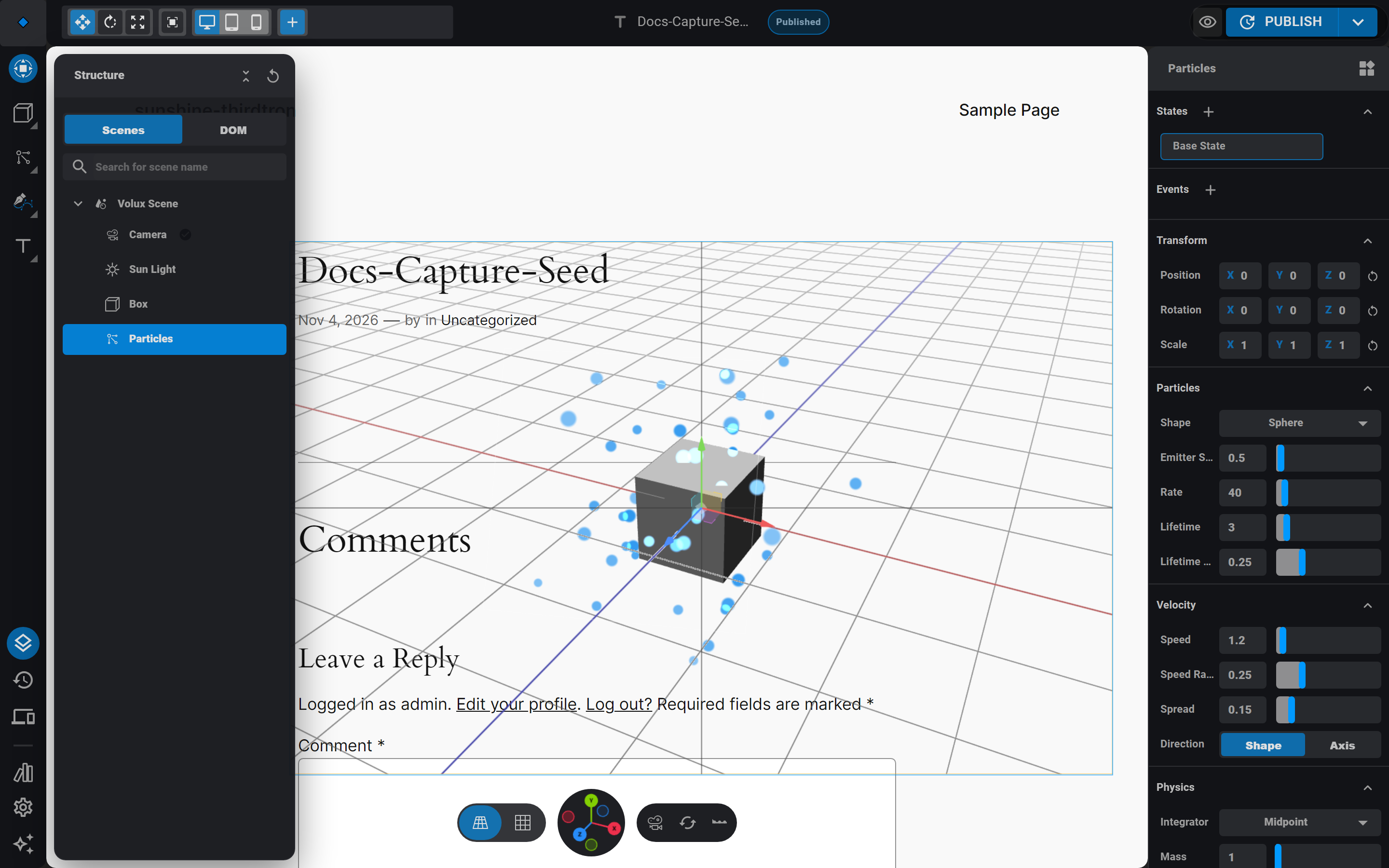
- Open the Structure drawer and select the new Particles object. The right sidebar shows the emitter's sections: Particles, Velocity, Physics, Playback, and Appearance.
The emitter renders as a small wireframe box in the viewport — the editor-only selection visual. The particles themselves are live: in the editor the simulation runs while the emitter is selected, so you always see the current settings' effect.
Shape the emission
The Particles section decides what is born and how often:
- Shape — where particles spawn: Point, Box, Sphere, Disc, or Cone. Emitter size scales the spawn volume.
- Rate — particles per second.
- Lifetime — how long a particle lives, with lifetime randomness so ages vary.
The Velocity section decides how they move: speed (with its own randomness), spread (a 0–1 cone jitter around the direction), and direction — either sampled from the spawn shape's own geometry or set as an explicit axis.
Everything else lives in the remaining sections: Physics picks the integrator (Euler, Midpoint, or RK4) with mass and damping; Appearance sets the two colors particles blend between, size (with randomness), and fade behavior.
Same seed, same animation
Every spawn property is derived from the emitter's seed (Playback section) — the same seed on the same machine replays the simulation identically. Change the seed to get a different, equally repeatable variation.
Capacity: rate × lifetime
Particles reserve GPU memory up front, sized from your settings: roughly rate × worst lifetime, plus one, capped at about a quarter million particles. The practical consequence: long lifetimes multiply your cost as much as high rates do. A 10-per-second emitter with 60-second lives reserves as much as a 600-per-second emitter with 1-second lives — keep lifetimes honest.
Steer the scene with force fields
Force fields are separate objects that push particles around — and they apply scene-wide: every enabled field affects every emitter in the scene. There is no per-emitter assignment; placement and falloff are your tools.
- Open the Objects flyout and pick Force Field.
- Select it and set a kind: Wind (a steady push with noise), Vortex (a swirl around the axis), Turbulence (chaotic drift), Attractor (pulls particles toward the field), Drag (slows them down), Harmonic (a spring pulling back to the field's origin), or Curve Guide (follows a curve).
- Set strength and the falloff power — how quickly the effect weakens with distance from the field object.
Fields read their position live: drag or animate a field and the particles respond immediately. Curve Guide needs a curve object in the scene — pick the curve in the field's settings, and particles near it flow along its path. A field whose target curve is missing or degenerate simply does nothing.
Control playback
The Playback section holds the simulation clock: autoplay on/off, mode (Infinite, Loop, or One Shot with a duration), a start delay, the simulation space (Local renders particles inside the emitter's transform; World leaves born particles in place when the emitter moves), and the seed. The section's Pause/Resume and Reset buttons are editor previews — Reset replays the simulation from t=0.
On the published page, visitors don't touch the panel — events do. Add a Particles Control action to any trigger and choose a command: start, stop, pause, resume, or reset, with an object picker for the target emitter. A classic pattern: a click trigger whose reset command replays a one-shot burst.
Next
- Physics — rigid-body simulation for meshes, from the same Pro set.
- Events & Actions — wire triggers to Particles Control.
- States — the emitter's seed and simulation space never vary per state; every other property can.
Lighting
Place and aim point, sun, spot, and area lights, tune the scene ambient, and control shadows.
Physics SimulationPro
Rigid-body physics for your scenes — simulation settings, participant objects, state-driven body properties, and baking to keyframes.
Last updated on