Post-ProcessingPro
Scene-wide post effects — bloom, depth of field, vignette and friends — as a reorderable per-scene stack.
This feature is part of Volux Pro Pro. Post-processing applies full-frame effects to a scene after it renders — glow, blur, film grain, and the rest of the cinematic toolkit. Effects live in one reorderable stack per scene, and the stack renders in the editor preview exactly as the published page will.
Open the stack
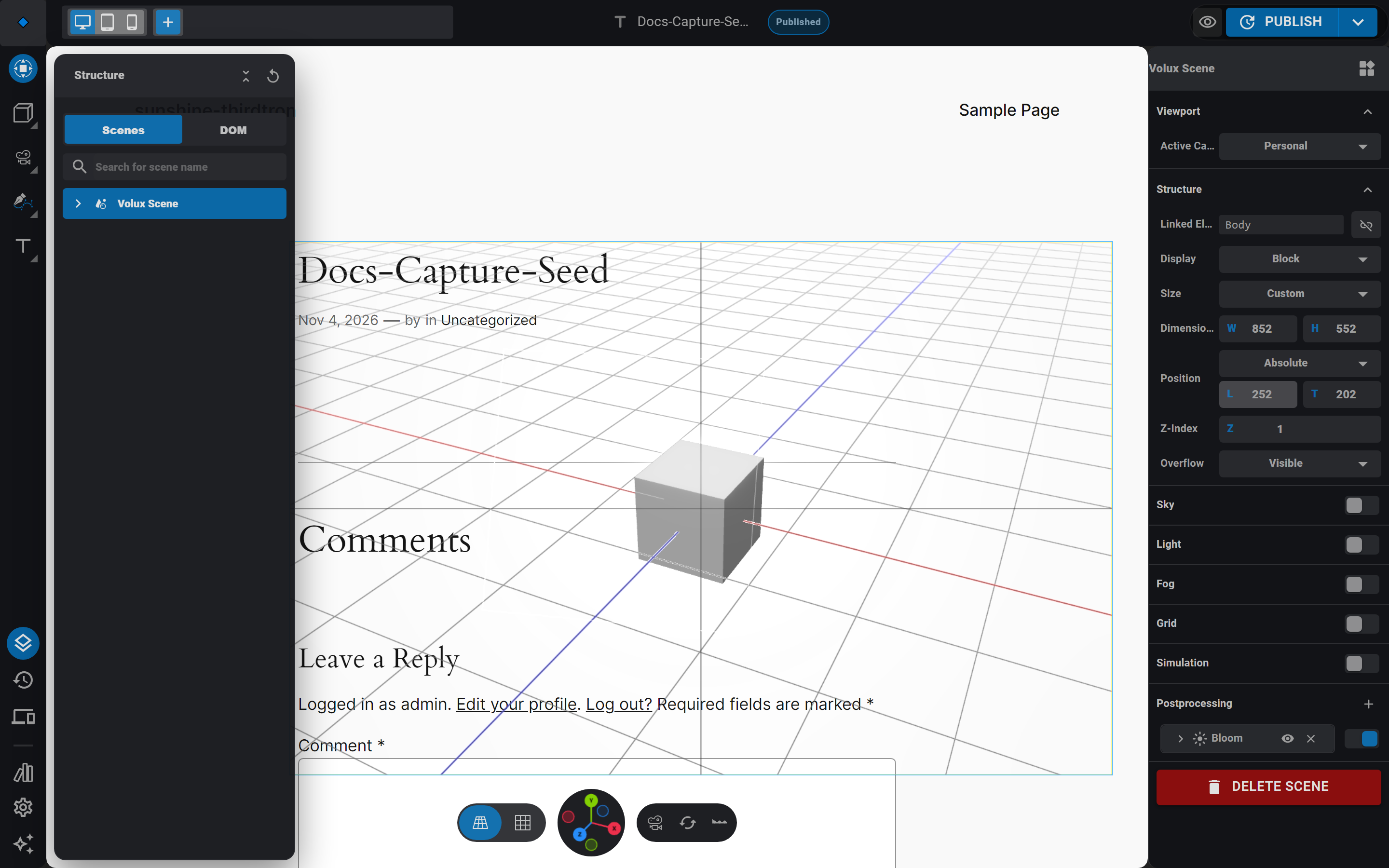
- Select the scene in the Structure drawer. The scene panel's Postprocessing section holds the stack.
- Click the section's + button and pick an effect — adding the first effect enables the stack for you.
The effect catalog
Nine effects ship, matching the reference set most 3D tools offer:
| Effect | What it does |
|---|---|
| Bloom | Halos bright areas past a threshold |
| Depth of Field | Blurs away from the camera's focal plane |
| Pixelation | Mosaic-blocks the frame |
| Chromatic Aberration | Fringes the color channels at the edges |
| Hue / Saturation | Shifts and saturates colors |
| Brightness / Contrast | The classic tonal pair |
| Vignette | Darkens the frame's corners |
| Noise | Film-grain overlay |
| Ambient Shadows | Screen-space ambient occlusion in creases |
Each effect renders as a card in the stack — icon, name (numbered only when the same effect appears twice, like a second Bloom reading "Bloom 2"), an enable switch, and a delete button. Drag a card to reorder: the chain order is semantic, because each effect processes the output of the one above it. Bloom before Vignette looks different from Vignette before Bloom.
The eye hides an effect in the editor only
Each card's eye toggles editor visibility — hide a heavy effect while you work and it still renders on the published page. The frontend always renders the full stack.
Per-band effect stacks
The stack is a scene setting, so it follows the per-breakpoint rules: switching the editor to a device band and editing the stack gives that band its own stack, replacing the desktop one entirely — not a merge. A mobile band can run just Vignette while desktop runs the full chain. Undo restores the desktop inheritance.
Replaced, never merged
When a band overrides the stack, it replaces the whole thing — effects you did not re-add on that band are not inherited there. Duplicate the desktop stack on the band first if you only want to tweak it.
Tone mapping stays default
The renderer's tone mapping is untouched by this stack — effects run after it, so what you see in the editor is what visitors see. Do not expect a tone-mapping control here; adjust look with Hue / Saturation and Brightness / Contrast instead.
Next
- Materials & Texturing — where surface look comes from, before post effects.
- Responsive Breakpoints — how bands scope scene settings.
- Frontend Behavior — how the published page renders the stack.
Physics SimulationPro
Rigid-body physics for your scenes — simulation settings, participant objects, state-driven body properties, and baking to keyframes.
Video Layers & MaskingPro
Play video assets inside material layers, control them from events, and mask them against other layers.
Last updated on